
User Manual
Bulk Publish Articles via CSV File
Last Updated: July 15, 2026
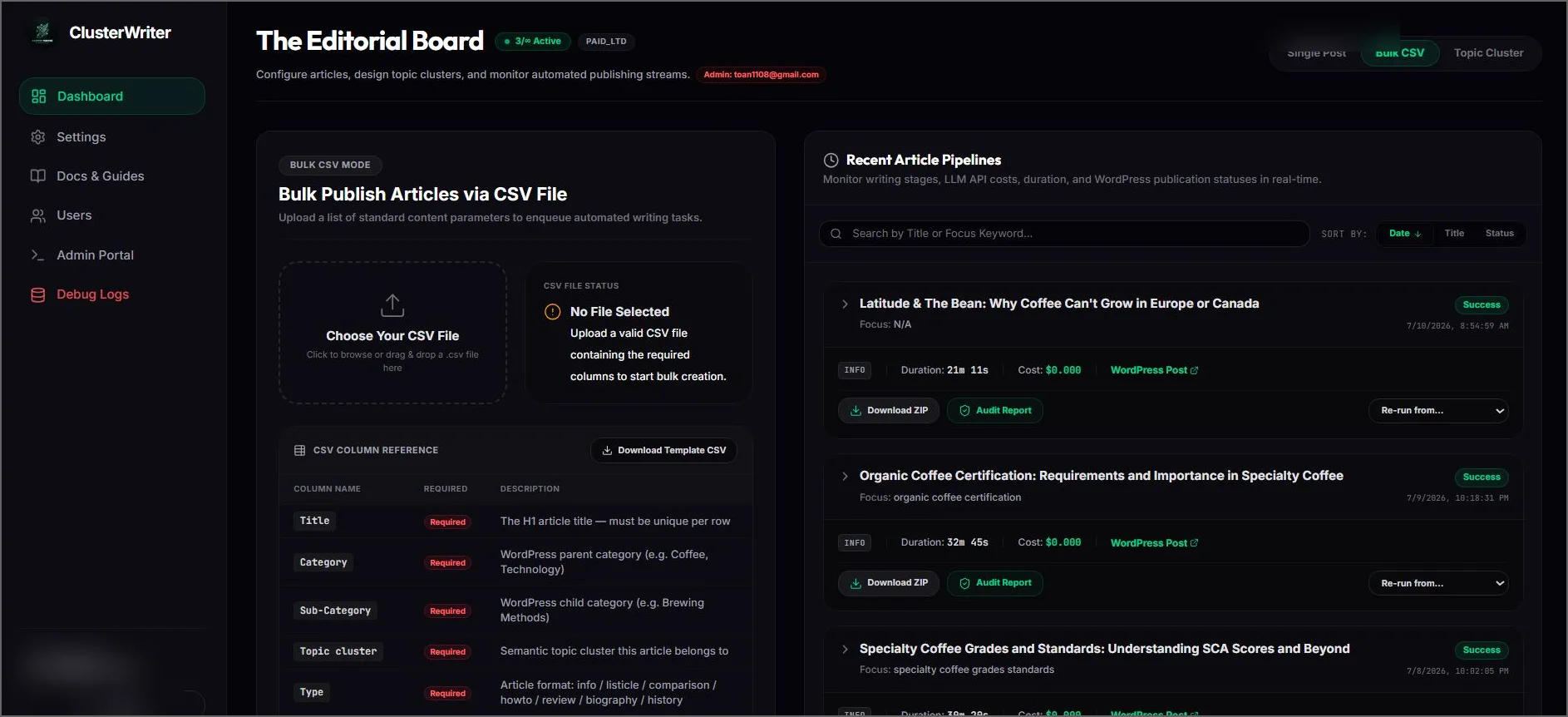
Figure 3.1: Bulk CSV mapping and configuration form.
When scaling content operations, the Bulk Publish Articles via CSV File module allows digital marketers to orchestrate massive article rollouts efficiently, eliminating manual input friction.
1. Preparation
- Start by clicking the Download Template CSV button to get the pre-formatted structure containing the correct header fields.
- Refer to the CSV Column Reference table on the page to map your parameters (e.g., target keywords, titles, custom briefs, and category tags) to the corresponding headers.
2. Execution
- Once your spreadsheet is ready, drag-and-drop or select your file in the Choose Your CSV File area.
- Review the Advanced Bulk Settings panel to configure global parameters for this batch (e.g., pacing interval delays, default writer personas, and target WordPress sites).
- Click the blue Launch [Count] Writing Tasks button to start the batch engine and watch the system spin up parallel workers.