
Semantic Setup
Advanced Setup: Google Cloud NLP for Semantic SEO
Last Updated: July 15, 2026
Why Use Google Cloud NLP?
While setting up Google Cloud Platform (GCP) is relatively complex, it remains the most accurate way to perform entity salience optimizations according to Google's exact search indexing standards.
Follow these 4 mandatory steps to configure your GCP project and obtain your API credentials.
Step 1: Creating a New GCP Project
- Go to the Google Cloud Console at console.cloud.google.com and sign in.
- Click the project selector dropdown at the top-left section of the dashboard.
- Click New Project in the modal, name it *"Cluster Writer SEO"*, and click Create.
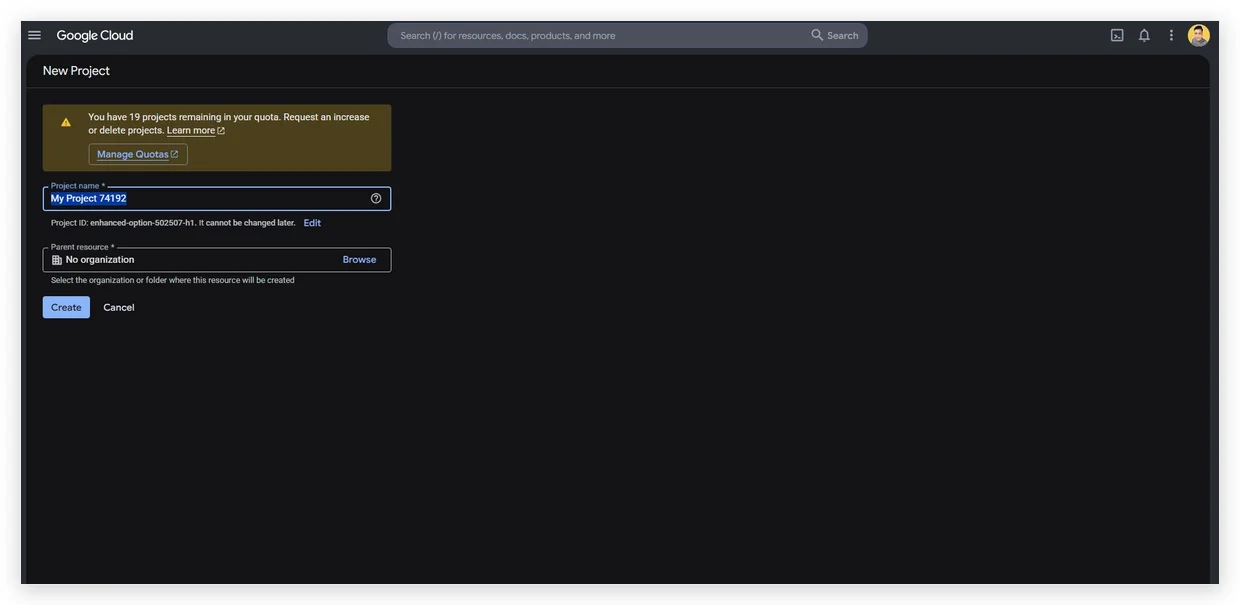
Figure 4.1: Creating a new dedicated project in Google Cloud.
Step 2: Linking Your Billing Account
- Open the left side navigation drawer and click on Billing.
- Link an active credit card or billing profile to the newly created project.
GCP Free Usage TierGoogle provides extensive monthly free credits (up to 5,000 requests per month for Natural Language API), so you will rarely incur any charges for personal SEO audits.
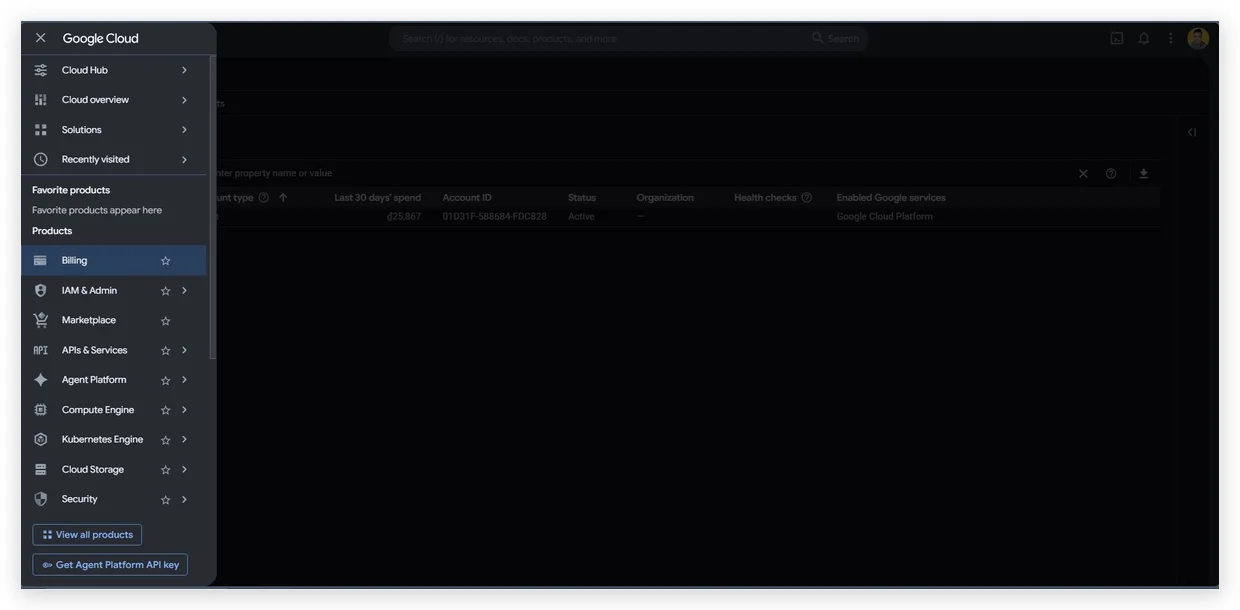
Figure 4.2: Linking a billing account to activate API usage.
Step 3: Enabling the Required APIs (Crucial Step)
Pre-configuration RequirementYou MUST enable both APIs in the Google Cloud Library before generating the API Key, or ClusterWriter will receive HTTP 403 authorization errors during integration.
- Go to APIs & Services > Library from the left navigation menu.
- Search for Cloud Natural Language API, click on it, and click Enable.
- Go back to the Library search box, search for Knowledge Graph Search API, and click Enable.
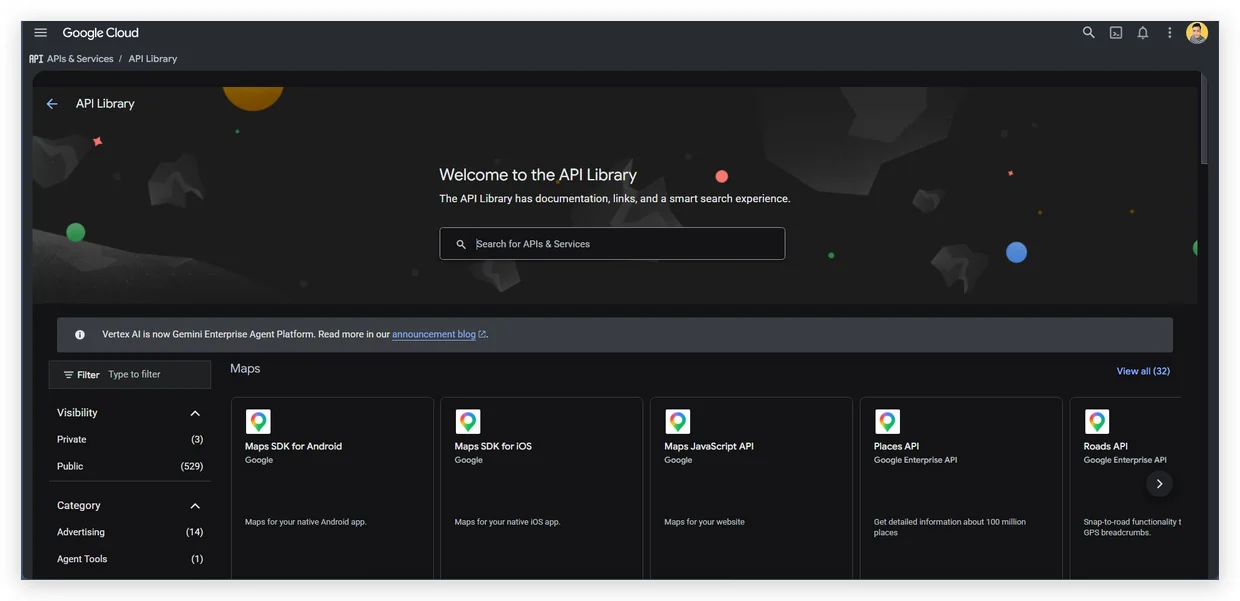
Figure 4.3: Enabling Google Cloud APIs inside the library.
Step 4: Generating Your Credentials
- Go to APIs & Services > Credentials from the left sidebar.
- Click Create Credentials at the top of the panel and select API Key from the dropdown.
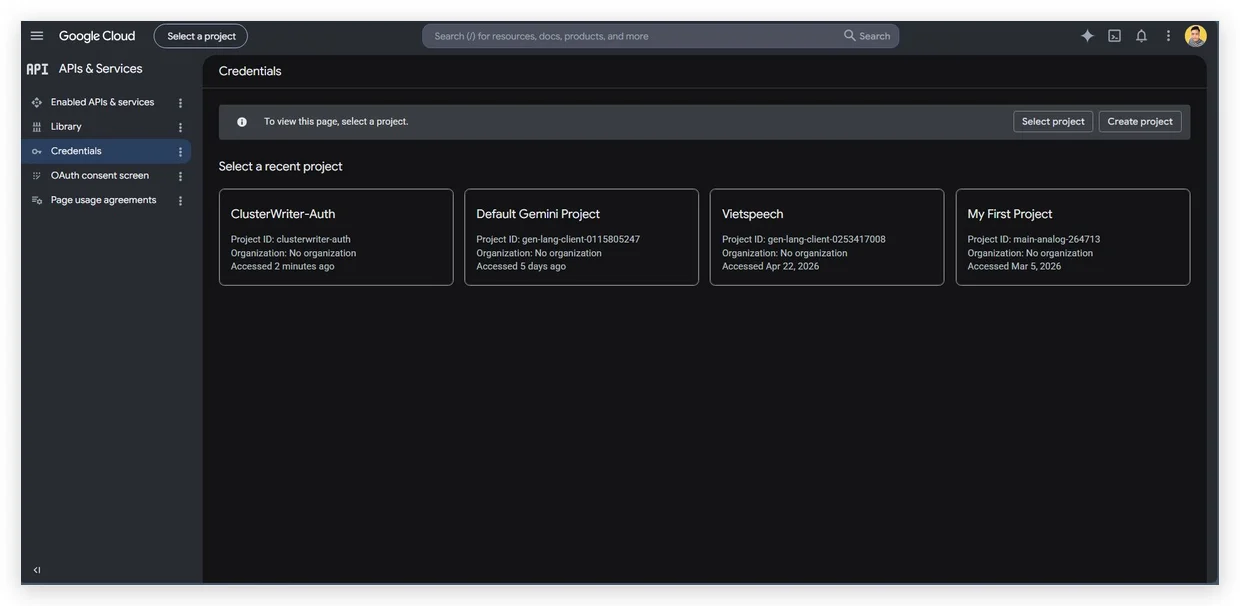
Figure 4.4: Generating the API key in the credentials tab.
- Copy the generated API key string immediately.
- Paste this key into the Google Cloud NLP API Key input field in your ClusterWriter Settings page.